Locking down JSCore applications
Locking down the device means that our application will optimize the system for running as a digital signage device.
What does locking down a JSCore device do?
JsCore is an umbrella term used to describe the technology we use for our application on multiple different platforms.
Therefore locking a JsCore device depends on the platform in question
BrightSign
The Lock screen option has no effect on these devices.
LG
The Lock screen option disables remote control inputs on these devices.
Samsung
The Lock screen option disables remote control inputs on these devices.
Locking device
From editor UI
You are able to Lock/unlock a JSCore device from our editor UI. On the Screen right click > Device Properties > Lock screen
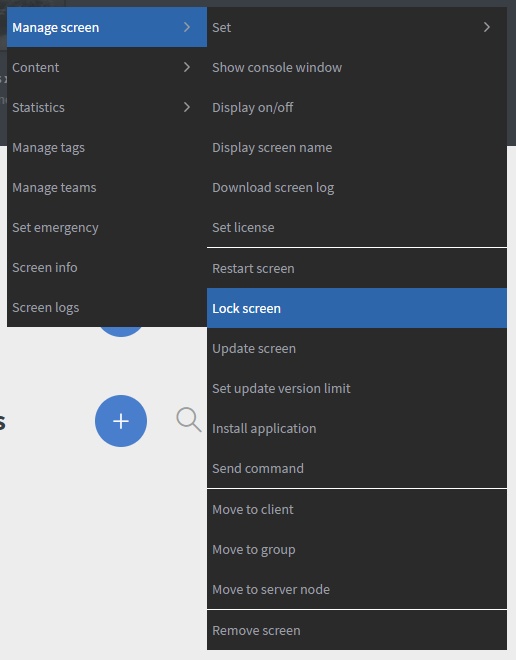
In the modal you can select to Lock or to Unlock the screen

Inside secret menu
You can lock the device inside secret menu options.
Unlock device
You are also able to Lock/unlock an Android device from our editor UI. On the Screen right click > Device Properties > Lock screen
In the modal you can select to Lock or to Unlock the screen
If you would like to restore the device to its original state you can unlock the device.